

Is there a way to customize/overwrite the default WiseJ page which is displayed if a browser is not supported ?
I want to display my own translated page with a custom logo…
Wisej-1.4.65 seems to have fixed the issue. Many thanks!
See attached sample. It also shows how to updated the page in real time with a static event.
To add a client name use:
http://localhost:%5Bport%5D/?name=Name1
http://localhost:%5Bport%5D/?name=Name2
etc.
Hi,
OK, so I’ve added a Handler called Handler1.ashx.vb
Then I assume I have to map the url, so I’ve added the following to web.config:
<system.web>
<urlMappings enabled=”true”>
<add url=”~/Default.html” mappedUrl=”~/Handler1.ashx”/>
</urlMappings>
But processRequest is not being hit. I guess my mapping is wrong?
Can you help?
Thanks
IIUC, you have multiple PCs not using a wisej app, but simply posting data to a URL (get or post doesn’t matter). Then you have a wisej monitor app that should be able to display the data collected by the PCs?
If that’s the case, you need a simple web handler to collected the data. It can be done simply with a sessionless ASP.NET ashx handler (https://www.dotnetperls.com/ashx). In the ProcessReequest method collect the data sent using a URL parameter and save it somewhere, file, database, …
Then the Wisej monitor application can read and display the data visually to any client that connected to the app.
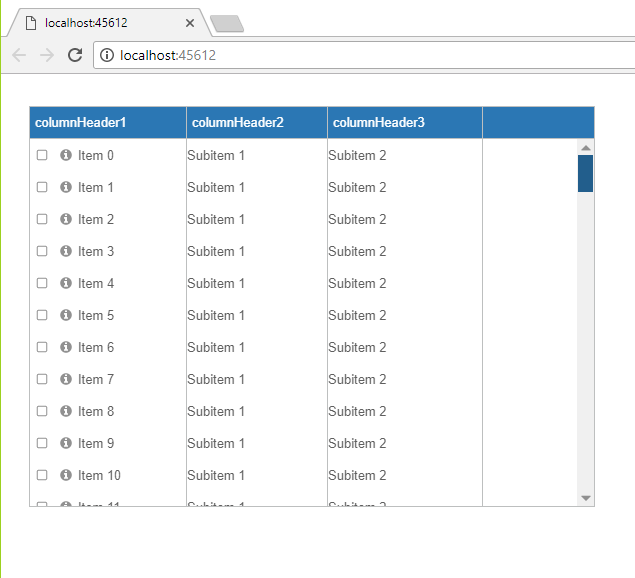
Cannot reproduce. See screenshot below. I simply added items to a listview. If you can reproduce in a test case please attach it. A code snippet is not enough to reproduce. The screenshot you attached is truncated, etc.
Works for single modifiers. It reverts to None when there are more than 1 pressed. Logged the bug as WJ-8846.
To read the modifiers you need to handle at least one keyboard event. While processing the event you can either use the event args or the global Control.ModifierKeys property.
The scrollbars appear automatically unless you set listView1.Scrollable to false. Making the panel scroll the listview itself will do just that. If the scrollbars don’t appear for you please attach a small sample.
Simply allow CORS on your servers. It’s just an header you have to add to the response.
Access-Control-Allow-Origin: *
You can restrict it to your site for security:
https://en.wikipedia.org/wiki/Cross-origin_resource_sharing
Hi Tiago,
Thanks for the link. I’ll try it in a few hours.
It’s a shame issues like this aren’t more obvious to the new user. Seems like a lot of mucking about to do something fundamental to the ideology of your product – remote resting a web app. Perhaps you should consider the same link in your ‘getting started’ docs?
What other methods are there to achieve a remote connection? Preferably relatively easy for the beginner.
Thank you
Darren
Hi Darren,
It seems you are running the Wisej application on Visual Studio, by CTRL+F5 or by menu Debug => Start Without Debugging
In this case, you must be using IIS Express that is controlled by Visual Studio. You can check this setting by double clicking My Project and checking the Web tab, section Servers
By default, when Visual Studio is using IIS Express, it’s binds you application to http://localhost:port. If you want to access your application from a remote system, you should follow some how-to guide about using IIS or Accessing an IIS Express site from a remote computer
Hi Arturo,
it seems there is a problem with your connection. I can load your application without any problem and wisej.js loads in less than a second:
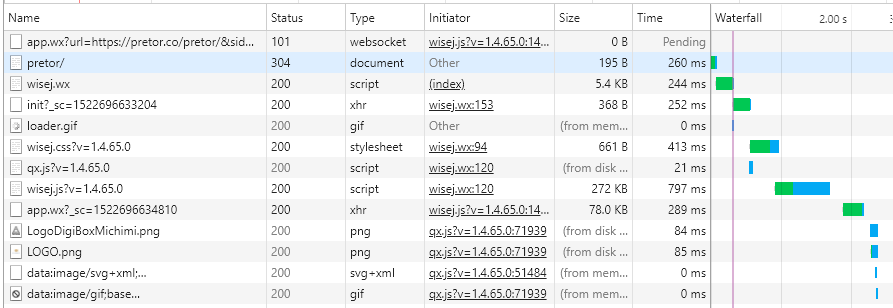
Please check your client configuration, maybe there is something wrong or slow.
Please note that the next Wisej release will further improve the load speed by caching most resources.
Hope that helps.
Best regards
Frank
Hi Robert,
this issue is logged as WJ-8824 and a fix will be included in the next Wisej release.
Best regards
Frank
Hi Marian,
thanks, it´s logged as WJ-8841 and fixed.
I´ll send you a prerelease tonight.
Best regards
Frank
Hi,
…to change the style when the tools are in a form caption or in a panel header.
and for editable controls?
Thanks,
Valeriano
Hi,
can you send me prebuild?
What is the roadmap? I noticed a slowdown in version release compared to 2017
Thanks,
Valeriano
We have more than 160 issues fixed and have given the prerelease build to several users to test it with real life apps – some are large and in or close to production. We got some issues back that have to be fixed before releasing it. If you want to we can send you the prerelease build.
The dev builds are also available online.
The missing favicon is normal. You don’t have to have a favicon and the 404 log in the console is also normal. You’ll find that and much more if you open tools on most websites. The failure to load wisej.js is related to something else, probably a connection problem from your client. This is the website on a mac book pro 10.13.3.
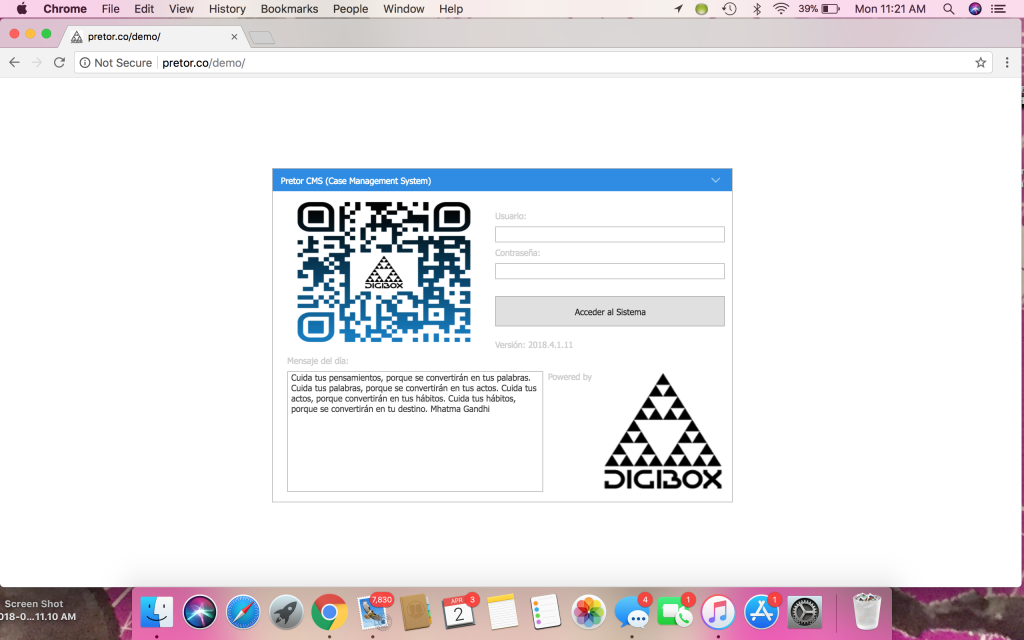
Luca:
I also looked this error: http://pretor.co/DEMO/resource.wx/wisej.js?v=1.4.65.0 net::ERR_CONNECTION_RESET
I attached the capture of the error.
Help me please.
When you put the URL in the browser the document is download by your PC, not the browser (javascript). CORS is not involved. Pdf.js is a client widget. That’s why you can download the pdf from the server without incurring in CORS.