

You can’t create Wisej objects as if they were ASP.NET objects. They don’t return an HTML string as ASP.NET or PHP do. They create javascript objects on the client in a Single Page Application (SPA) system. You can create a Wisej application inside an IFrame easily, simply use the URL to your Wisej application:
<iframe src=”/application?formToOpen=my.app.Form1″></iframe>
Where /application is a Wisej application. In Program.Main(args) you can read the value of “formToOpen” and create that form or take any other action.
Please change your email address from sssssssssss@aa.it to something usable.
Thanks Truong !
Can you please tell me the Wisej version and the Visual Studio version that you are using ?
Best regards
Frank
Nothing in my code.
I create new Wisej Project, and add new grid into a form.
Error will occur.
Please view my attach video.
Hi Truong,
even with 2 datagridviews on a tab control I cannot reproduce, sorry:
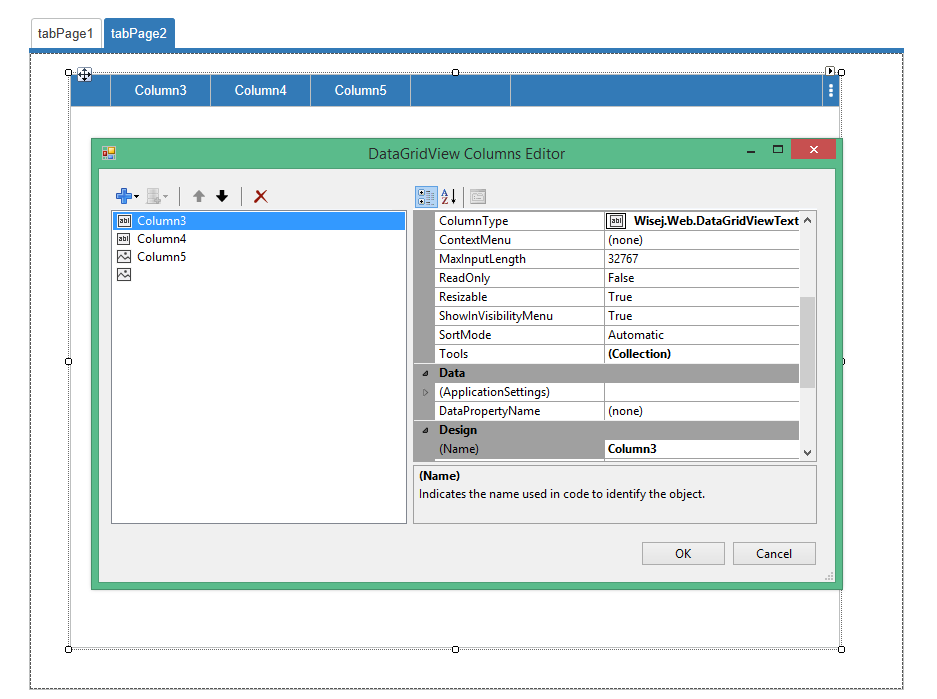
Any chance to provide us with more details or the actual code ?
Thanks in advance,
Frank
Hi David,
using the tools component is pretty straight forward. Just edit the Tools property of your textbox:
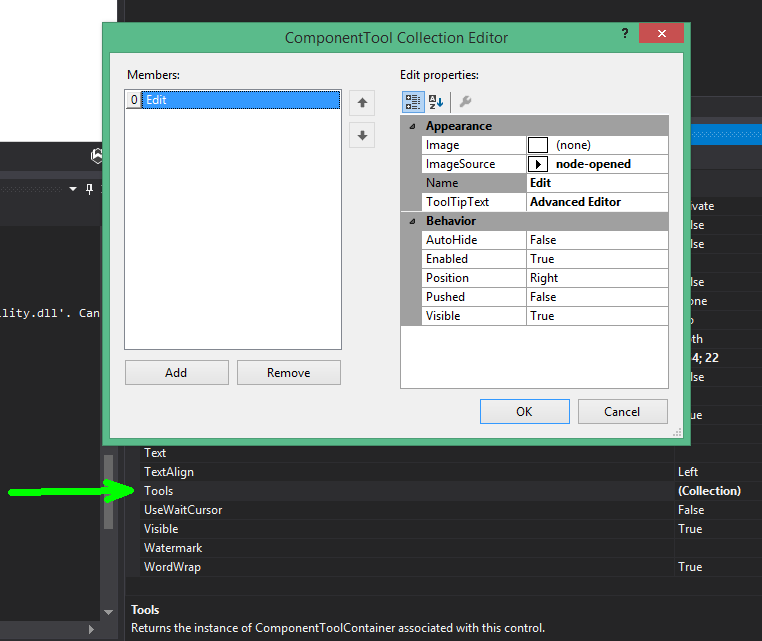
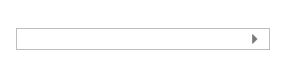
You can set up various parameters like tooltip text, position, icon etc. and it will appear like this:
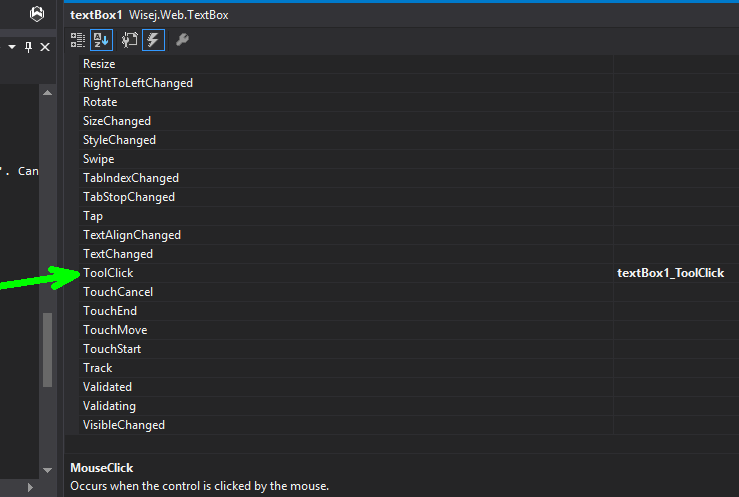
Then you can just react on the click event and add your custom code like a modal dialog that includes various options etc. :
Hope that helps.
Best regards
Frank
PS: I will add this information also to the docs.
Hi Truong,
thanks for providing further information, but I still cannot reproduce it here, not even with multiple datagridviews on the same page.
What are the last 2 columns in your sample ? They don´t seem to have a name ??
Can you please send me the code to frankATiceteagroup.com ?
Thanks in advance !
Best regards
Frank
Hi Orel,
there is a blog article that shows several ways to apply styles to objects:
https://wisej.com/blog/shadow_on_the_panel/
Hope that helps.
Best regards
Frank
Hello Frank,
Thanks for the Tip, now it works.
In my case I’m trying to build a vertical label. Any chance to see a “Angle” property added to a standard label ?
namespace WebPage2
{
public partial class UserControl1 : Wisej.Web.UserControl
{
private Wisej.Web.StyleSheet mStyleSheet=null;public override string Text
{
get { return label1.Text; }
set { label1.Text = value; }
}
public string SetCssClass
{
set { mStyleSheet.SetCssClass(label1, value); }
}public UserControl1()
{
InitializeComponent();mStyleSheet = this.styleSheet1;
}
}
}
thanks! it works!
I haven’t tried the Tools collection yet. Is there an example of how to use it online? I found the class reference for ComponentTools in the Docs, but no example code, and unfortunately I can’t figure it out how to use it from the VS autocomplete 🙂
It does not work correctly.
With the first time, the Design group always shows.
However, when I click other tabs, open Edit Column popup in other grid, the Design group disappeared.
Correction, it´s been fixed in the meantime and will be included in the next build.
Sorry for any confusion,
Frank
Hi Sergio,
I tried to reproduce, but failed so far. Can you please give an example of the URL that you are using ?
Could it be related to the load balancer issue you had reported ?
Thanks in advance.
Best regards
Frank
after further investigations the issue when i try to dynamicali set the openedimagekeyvalue of a node AND i launch the expand method on this node AND i try to do it in a a subcontrol.
so : forget-it. i’ll just make some small changes in my code and everything will be fine.
sorry guys
If I understand it correctly, the events will be fired but base.OnBeforeSelect(e) and base.OnAfterSelect(e) won’t raise a NullReferenceException.
Please confirm so I fix the code accordingly.
Here is the attachement.
I can reproduce the null exception. It’s WJ-8406.
Non selecting the first node is by design. That behavior in WinForms has always created problems with the selection events and having to set the node to null.
I can’t reproduce. I tried with OpenedImageKey and OpenedIndexIndex using existing and non-existing images. Before and after adding the node.
It may have been fixed as part of something else. Can you share a small sample please?
Hi Tiago, the attachment is missing.
Hi Truong,
the property you´re looking for is Name and it´s already in the Design section in the column designer:
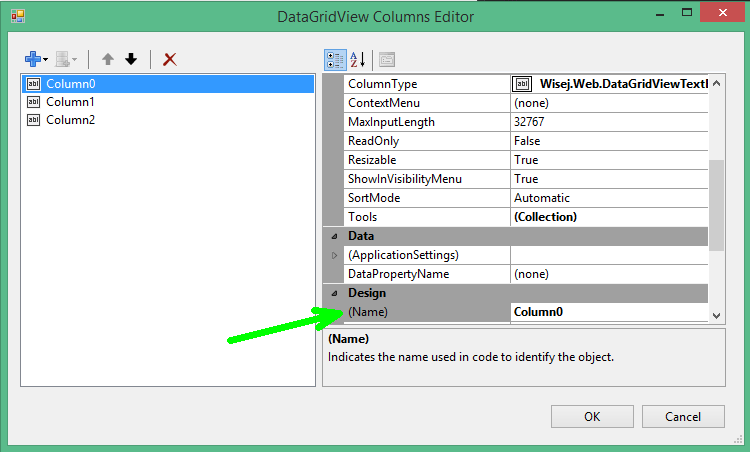
Hope that helps.
Best regards
Frank