

Hi Tung,
I tested your code here and it works fine:
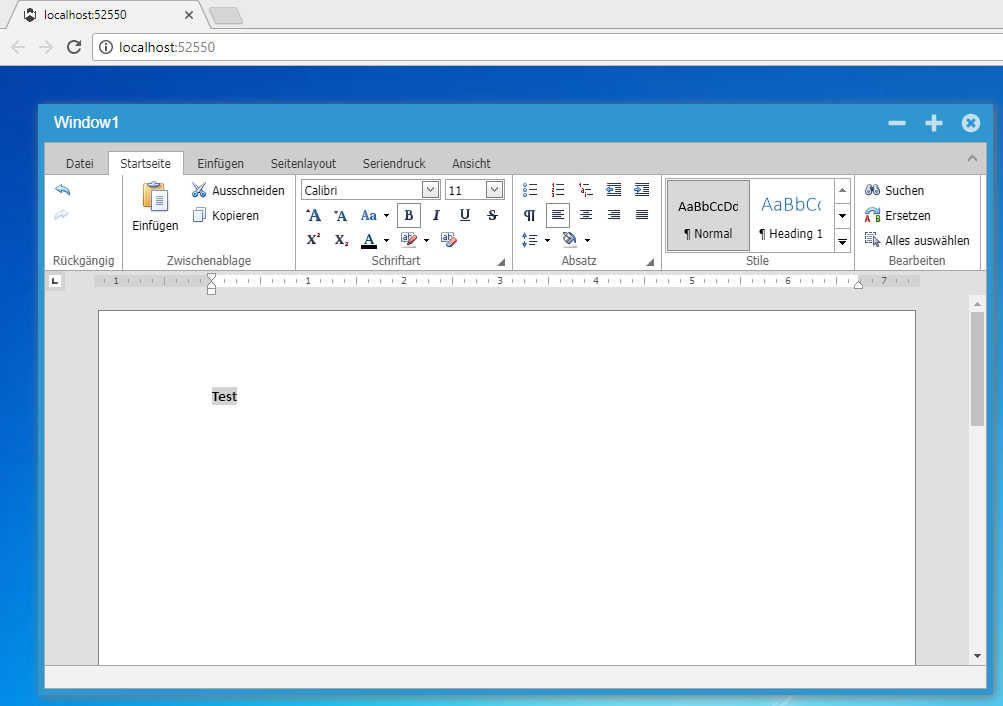
The only things I have changed are the version numbers of the devex components in license.licx and web.config to match with my installation.
Best regards
Frank
1: It’s an option in the fullcalendar that is not exposed https://fullcalendar.io/docs/event_rendering/nextDayThreshold/. We’ll add a new property NextDayThreshold and upload the source code in /extensions tomorrow. If you build the FullCalendar extension, you can add it in BuildInitScript().
2: It’s a bug in OnWebDataRead. This will also be in the downloadable sources tomorrow. If you build from the source, this is the fix.
var list = this.Events.Where(o =>
(o.Start >= start && o.Start <= end) || (o.End >= start && o.End <= end)
);
Thanks!
/Luca
It’s available here: /extensions
We are going to upload the source code for a new extension to view office documents using their free office viewer. The extension will be able to show documents on the server, as well as from a stream allowing you to view office documents from any source (including a database) or to create them on the fly.
The extension shows how to filter all requests to the web server since it needs to change the URL because Microsoft Office Viewer cannot handle sources with parameters.
Small demo: http://demo.wisej.com/officeviewer
Thanks Frank – I’m in business now. It works as you describe!
Matthew
Hi Matthew,
you´re very close !
There´s a difference with the VB.NET compiler. It does not use the folder to create the resource name,
so you need to name the file including the folder:
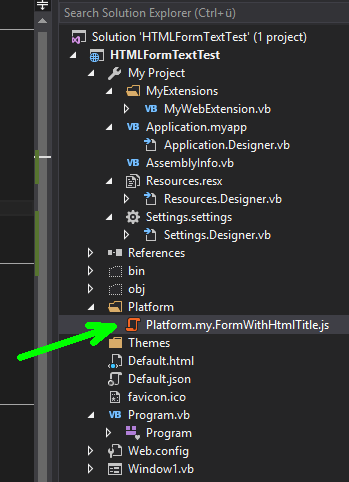
You can leave the file in the folder since the compiler just ignores it.
Best regards
Frank
Thank you for the sample Frank, but I’m having a bit of trouble.
I need to do this in vb.net. Your c# example runs fine on my machine, and produces the expected html in the form’s text property.
However – when I build a vb.net project that tries to do this – it does not work. I’ve replicated everything in your project, including merging in WiseJResources as an assembly in AssemblyInfo.vb. I have the js file as an embedded resource under a “Platform” folder ( I also tried “Resources”). I overrode the OnWebRender in the form.
No joy. What happens is the project just hangs when you run it – you see the spinner for a few seconds and then nothing – just white page. It never loads the form. If I comment out the one line in OnWebRender: config.className = “my.FormWithHtmlTitle” – then the form loads as normal (although with html tags in the text of course since the class didn’t get applied).
Attached is a sample vb.net project that is not working. As far as I can tell – I have done everything exactly the same as your working c# sample, except in vb.net.
Any help?
You can use any viewer that works online, here are some.
Microsoft has a free online viewer:
https://products.office.com/en-us/office-online/view-office-documents-online
You can create the URL in the app and assign it to an IFramePanel.
You can also use google docs, or only office (http://onlyoffice.org/ or http://onlyoffice.com).
Thank Frank,
It works.
Regards,
Hi Hichem,
we already added Control property to ListViews.
See demo here: http://demo.wisej.com/ListViewPanels
Best regards
Frank
Hi Tung,
just add a menuitem with text “-”
Best regards
Frank
Hi Hichem,
there is no need for Kendo in that case. You can use the Control property to add virtually any control to Listview items.
See demo here: http://demo.wisej.com/ListViewPanels
Best regards
Frank
This is exactly what I need in WiseJ, a listview Panel item or list view with custom control like in VWG.
This is a make or break feature for me when buying WiseJ and am a bit disappointed that it is missing as I like the rest of the controls.
Can you please indicate if and when this would be implemented? Can you please share some insights on this point and if included in your roadmap as I need it urgently and was also looking at integrating Kendo controls on top of WiseJ. has anyone managed to to implement liest view paels with Kendo on top of WiseJ?
Many thanks
Hichem
Thank you Luca. That fix works perfectly, I appreciate the help. See attached – it looks much better to me.
I’d suggest an enhancement to open up the .RowHeadersVisible property to be accessible directly in PropertyGrid itself.
But I’m very happy with your solution – it works great. See attached.
Hi Carina,
looking at your code it seems that you are missing to bind Column1 to the datasource member.
Can you please also share how/where you define the bindings for the DGV columns ?
I have created a small sample (in C#) like this:
this.dataGridView1.Columns[“colText”].DataPropertyName = “Text”;
this.dataGridView1.Columns[“colCheck”].DataPropertyName = “Check”;
this.dataGridView1.AutoGenerateColumns = false;
DataTable dt = new DataTable();
dt.Columns.Add(“Text”, typeof(string));
dt.Columns.Add(“Check”, typeof(bool));
dt.Rows.Add(“Text1”, true);
dt.Rows.Add(“Text2”, false);
dt.Rows.Add(“Text3”, true);
this.dataGridView1.DataSource = dt;
dt.Rows[1][“Check”] = true;
Also, there is no need to assign the datasource a 2nd time as this does not perform any update.
Best regards
Frank
Hi Frank!
My code is :
gridSolicitudes.AutoGenerateColumns = False
dtDatos = AbrirDataTable(“SELECT * FROM IMPORTACIONES”)
dtDatos.Columns.Add(“Seleccionar”, Type.GetType(“System.Boolean”))
For Each dr As DataRow In dtDatos.Rows
dr(“Seleccionar”) = False
Next
gridSolicitudes.DataSource = dtDatos
And here change status colums bool :
If gridSolicitudes.Rows.Count > 0 Then
For Each dr As DataRow In dtDatos.Rows
dr(“Seleccionar”) = CBool(True)
Next
End If
gridSolicitudes.DataSource = dtDatos
Thanks for your help!
Hi Carina,
thanks for your message. Did you try with the latest Wisej rölease (1.4.50) ?
If you did, can you please share some code that you have been using ? Is your DataGridView bound to a DataSource ?
If you don´t want to post here, you can also send it to frankATiceteagroup.com
Thanks in advance !
Best regards
Frank
The PropertyGrid is a container for SplitContainer with a DataGridView in Panel1. You can handle the inner DGV like this:
var grid = (DataGridView)propertyGrid.Controls[0].Controls[0].Controls[0];
grid.RowHeadersVisible = false;
I’d also set the PropertySort to Alphabetical to remove the categories.
You can also use a DataGridView instead of a PropertyGrid to edit different data types, it supports difference cells in the same column. For example, you can create a simple DataGridViewColumn and the assign the cells in the rows to CheckBoxCell, DateTimePickerCell, etc. All in the same column.
Hi Nikos,
frozen rows at top/bottom are still on our roadmap but unfortunately I cannot give you an ETA yet.
As a temporary solution you might want to calculate the sum into an additional row that is added as first/last rows.
Once the frozen property is available you can add this to your solution.
Hope that helps.
Best regards
Frank
Hi Saul,
Please find a simple demo for the DevExpress ASP.NET Rich Edit control integrated in a Wisej application here:
http://wisej.s3.amazonaws.com/support/attachments/DevExpressRichEditDemo.zip
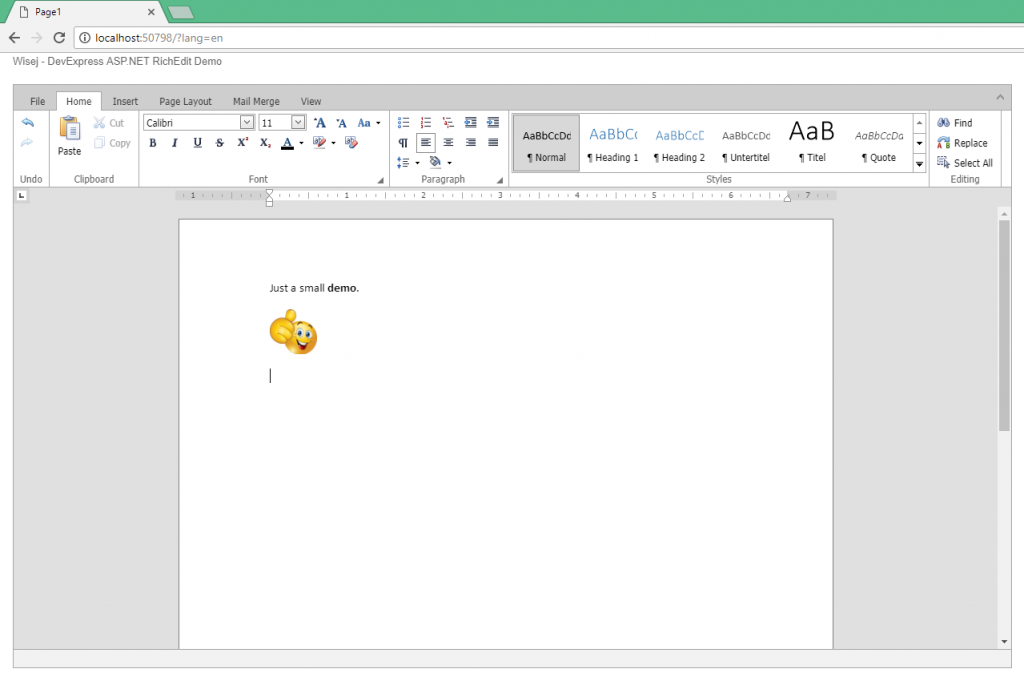
I attached to the Saving event and hooked into it with a message box that is evaluated before the actual saving happens:
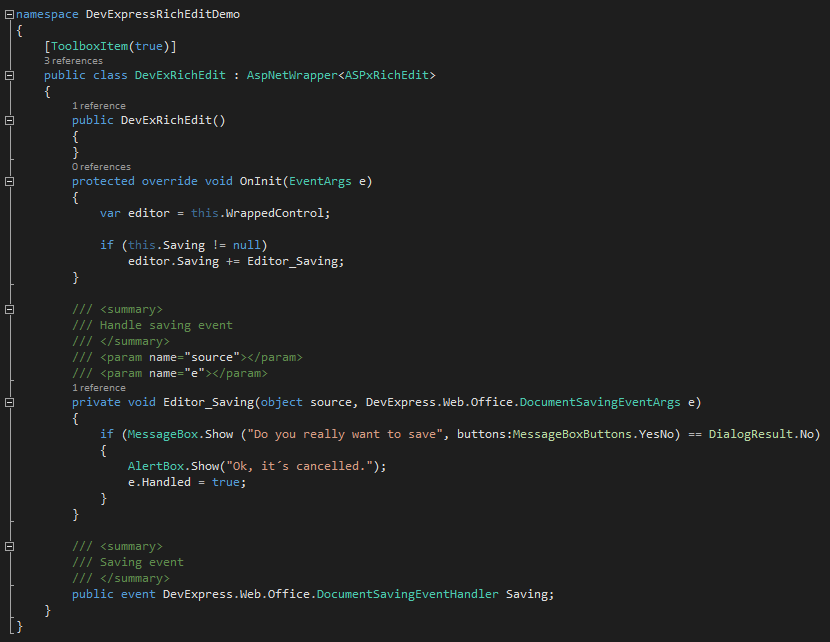
Hope that helps.
Best regards
Frank