Hi Nikos,
the bug was logged as WJ-8598 and is fixed in our latest Wisej development build (1.4.53).
Best regards
Frank
Hi Shawn,
WJ-8597 is fixed in dev build 1.4.53.
Best regards
Frank
Hi Felix,
WJ-8591 is fixed in our latest development build (1.4.53).
Best regards
Frank
Hi Ben,
the latest Wisej development build (1.4.53) includes the fix for this problem.
Best regards
Frank
Hi Sam,
can you please try a manual removal ? What Wisej version were you using ?
Best regards
Frank
Hi,
any news?
Thanks
Orel
Ok Luca,
I can use your way to add record to my tables until you fix it,
I never used the tables to add the records but with this way i can use less code
Thank you for your support
Hello Frank,
Thank for the guide line. I will try this approach.
In my winform version, the total move together with the columns when user scroll grid to left or right.
So beside inserting a panel as status bar, i will also need to calculate the displaying position and update them when user scrolls the grid.
Regards,
I can reproduce with EndEdit(). You can comment it out, the result is the same. We’ll fix asap.
Can’t reproduce. See attached small sample.
Hi
I have the latest version 1.4.50.0 and use Visual Basic
I use the bindingsource to add new rows like this
Dim DS as new dataset
Dim DG as new datagridview
Dim BS as new bindingsource(DS,”MyTable”)
DG.DataSource = BS
BS.AddNew
BS.Current(“ID”) = 1
BS.Current(“NAME”) = “Peter”
BS.EndEdit
On Datagrid i have two rows
Change your sample as bellow and run it
// My way
bs.AddNew();
DataRowView cur = (DataRowView)bs.Current;
cur.Row[“ID”] = “1”;
cur.Row[“NAME”] = “Peter”;
bs.EndEdit();
//Your Way
//dt.Rows.Add(4,”Name”);
Tung,
to explain this further:
You can create a “composite” DataGridView in Wisej by dropping controls on the DataGridView and setting the Dock property.
Basically the DataGridView acts like a container.
Best regards
Frank
Hi Nikos,
I´ve tried to reproduce in a simple sample, but failed: http://wisej.s3.amazonaws.com/support/attachments/Binding.zip
Can you please compare with your code and also make sure that you are using the latest Wisej build ?
Thanks in advance.
Best regards
Frank
Hi Tung,
we are not yet supporting fixed rows. It´s still on our roadmap.
You can use another approach like we did in our CodeProject sample:
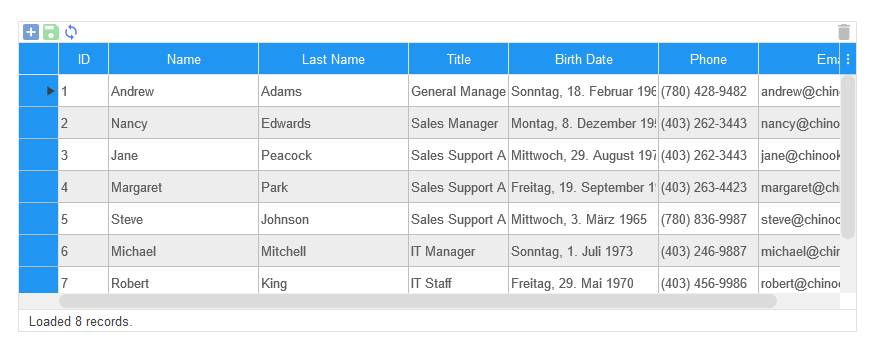
Here we´re using a statusbar, attached to the DataGridView. You can download the source code at https://wisej.com/examples
Hope that helps.
Best regards
Frank
That would be an awesome extension.
Luca, awesome!
thank you
Cristian
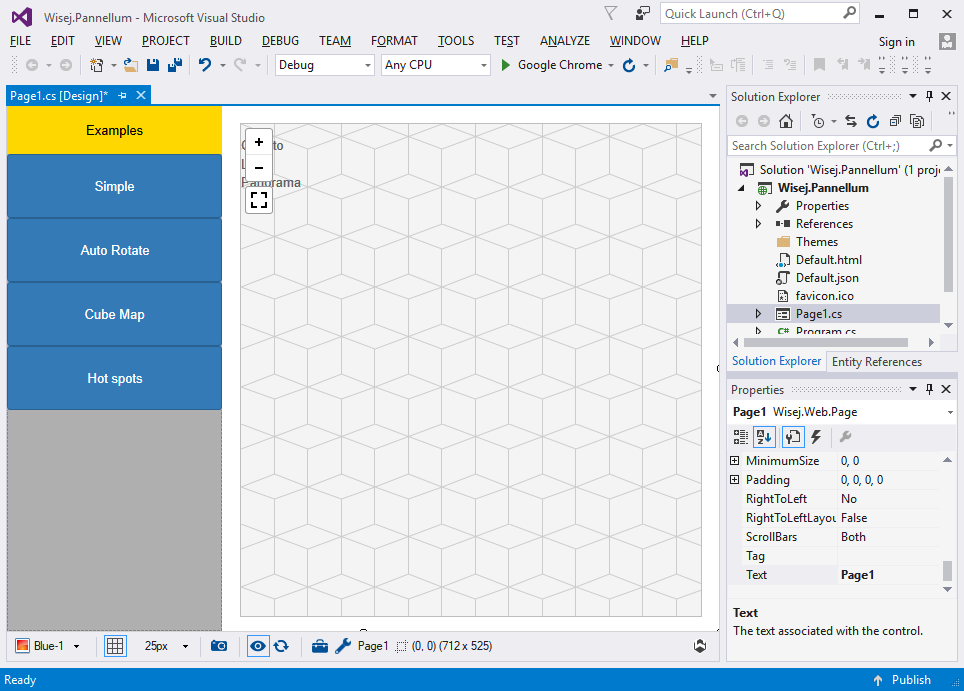
Attached the sample and the extension. You can call the methods directly using Call or Eval. The reference is here:
https://pannellum.org/documentation/api/
The configuration options are here:
Ciao Luca!
yeeeeeeeesssss! You are reading my mind ahhaha
Where is it the source code??????? 😀 😀 😀
with hot spots!!!! it is perfect!!!!!!!!!!!!!!!!!!!!
need source for wisej!!!
Cristian
It’s the same in WinForms.
The AcceptButton means that when you press Enter it gets a click. The CancelButton means that when you pres Esc it gets a click. Their DialogResult becomes the DialogResult of the form. But there is no auto close, it’s up to the code to decide what to do.