

Hi Luca,
I try using only developer license, only server license A, but the “Invalid License” still pop up, and I found following in Docs
“One server licenses is required for each server running Wisej applications.”, that why I try 2 server license on the same server.
How can I send the .lic file to you ? Attach in this post or PM, please advise, thank you.
Also, I don’t understand, even I put 2 NEW license in same machine, it cause “Invalid License” “Move” message popup ?
Wisej version : 1.4.53.0
Try to remove this.flp_Rooms.SuspendLayout(); It stops the layout engine, it should be used in pair with ResumeLayout() when needed. In this case it doesn’t look like it’s needed.
Sorry about the troubles with the license.
If wisej-server.lic is not generated in the project folder it’s because the IIS App Pool doesn’t have write permissions.
The Moved error should never show. Can you please send me the .lic files and the exact build of Wisej on the server not connected to the internet?
Also, why 2 server licenses on the same server? You can use 1 server license for unlimited applications on the same IIS instance.
Looks like it’s still there but the colors have changed. How do you set the colors of the toolbar and the buttons?
Thanks, you’ve solved my problem!
You can use HTML directly in any label or button. However the html text will be limited to the inner label area.
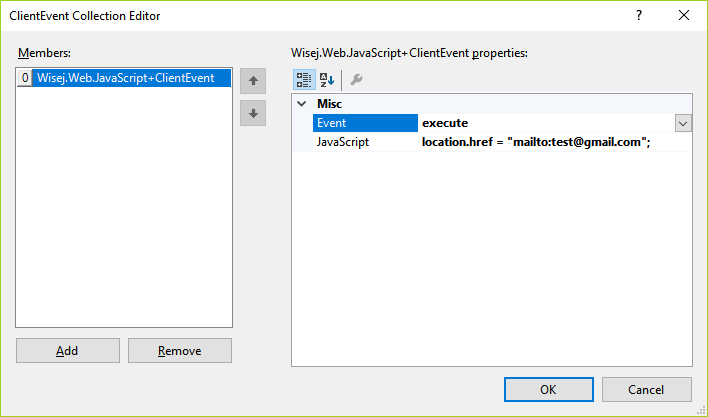
The best way to control the client browser is through a client-side event. You can drop the JavaScript component on the container with the button, you’ll find 3 new properties added to the button. Edit the JavaScriptEvents property and add a new event: select “execute”, then in the JavaScript field type location.href=”mailto:test@email.com”. See screenshot below:
Hi,
Which Event to subscribe to be notified when the Iframe is following a Link due to a user click ?
I was in hope to get this by hooking to URLChanged event, but it doesn’t fire. I also tried textChanged or DocumentCompleted but the same.
I’m after getting notified and having the URL followed.
Thanks.
Cool Stuff!
Thx, works 100% fine!
Hey
THX – you are right. It is working pretty well, when I try to remove from the correct node…
Sorry, was my mistake!
You can create a custom TabPageHtml class like this:
public class TabPageHtmlText : TabPage
{
  protected override void OnWebRender(dynamic config)
  {
    base.OnWebRender((object)config);

    // escape the html text.
   config.caption = TextUtils.EscapeText(this.Text, true /* allowHtml */, this.UseMnemonic, false);
   }
}
All it needs is to escape the html text differently to allow for html tags.
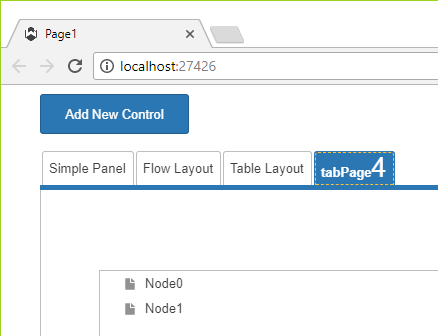
Be careful with the html since the tab buttons may not be able to fully adjust their size. See small test below using <b>tabPage</b><big><big><big>4</big></big></big></big>.
I tried but I can’t reproduce. I didn’t understand exactly what the flow is from the code you posted. I did this:
private void treeView1_NodeMouseClick(object sender, TreeNodeMouseClickEventArgs e)
{
this.treeView1.Nodes.Add(“One”);
this.treeView1.Nodes.Add(“Two”);
this.treeView1.Nodes.Remove(e.Node);
}
And it works fine all the times.
Additionally, the code you pasted seems to come from Winforms which didn’t support “lazy” loading of nodes. Also, although Wisej does a great job in hiding the fact that it’s a web applications, it’s still a web application and nothing happens on the client until the request is completed – setting ShowLoader = true/false in the same code execution flow will simple update the client with false (the last value).
A better approach is to set a parent node to be a “lazy” load node:
HTH
Hi Eric,
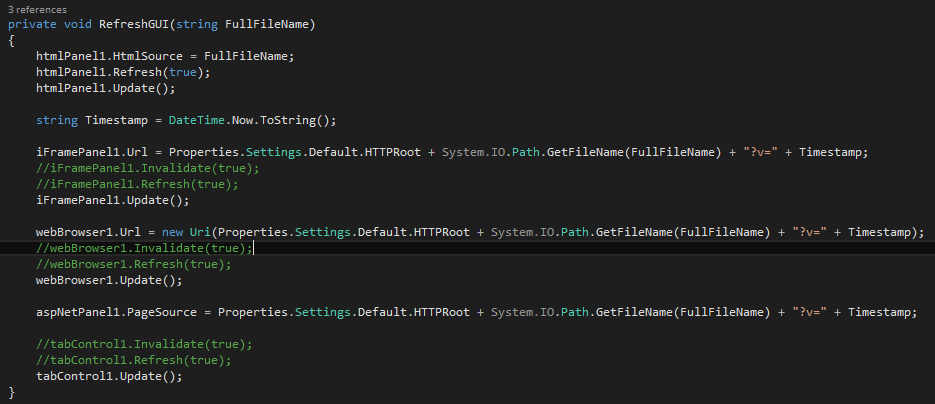
v=1 will be cached by the browser as well. Can you please try changing your code to append a timestamp instead of 1 ?
Hope that helps.
Best regards
Frank
Hi Luca,
Here is a sample App to reproduce the problem. The whole app is currently setup to run by showing html files stored in C:\temp.
I have created an IIS App “CTemp”, which allows to have the files exposed as http://localhost/CTemp/….
All is configurable through Settings parameters.
There is a TabControl with the different Wisej Web Controls. The HTMLPanel is properly following changes made to a file. To me it’s because the htmlPanel accepts a file path. All the others controls requiring a URL aren’t synched after changes to a document.
Here doing multiple edits isn’t working properly,pressing F5 after an edit is clearing the problem. It must be cache related.
I can’t understand why I can’t refresh the same way by code as by pressing F5.
To be sure it isn’t IIS related, I checjed in the HTTP Response Headers : “Expire Web content : immediately”.
After having done an edit through the program, when I visit the URL of the edit (http://localhost/CTemp/TEST.html?v=1) through a browser, it shows the changes.
Would you be so kind to give it a try ?
Thanks and Happy New Year to the whole team.
Looks like the browser is either unable to load the font from google’s fonts or it’s timing out. I checked your theme changes and the only problem I could see is that the custom source is repeated for each font causing the browser to reload the same font several times. There is no caching in the browser and in Wisej for the font sources (we should add it to Wisej…)
Loading a font for a browser is very time consuming and prone to failure on timeouts. On a normal wordpress site it shows by updating the elements few seconds later (or never until a refresh). Wisej needs the font loaded to measure the element so it has a font loader system that waits until the font is loaded.
The best way is to either embed the font into the theme or load it from a local file. See attached modified theme. The font is embedded by checking the “Embed as data URI” checkbox. You need the source defined only once in the theme. I tried it with Chrome, FireFox and IE11.
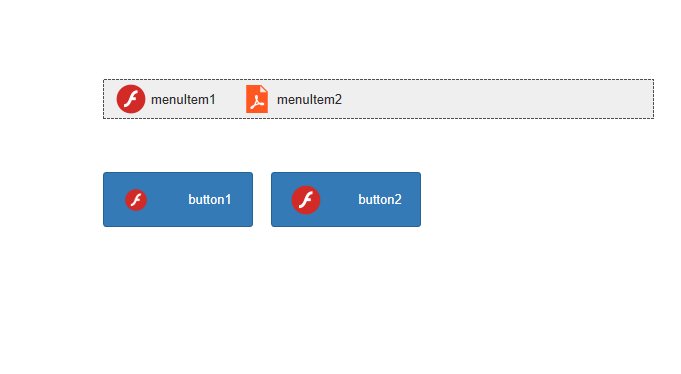
The first button defaults to the image size in the theme.
The second button uses an image list with size set to 32×32.
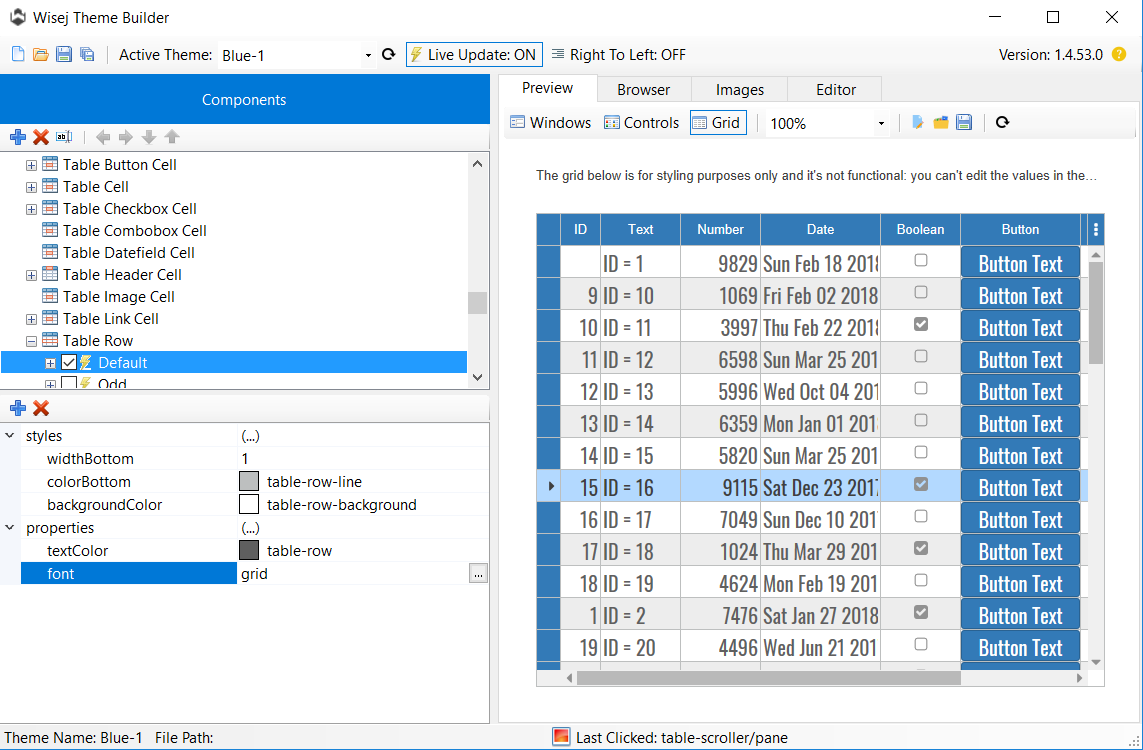
The font dialog in the theme builder should not show the option to import a font when setting the font property. It should only allow the selection of a font and the size, style, etc. To import a font, add it to the fonts section with a name. Then you can use it anywhere. See screenshot below, I added a “grid” font using the google fonts Oswald.
WOW – Your support is great!
Works 100%
THX a lot!
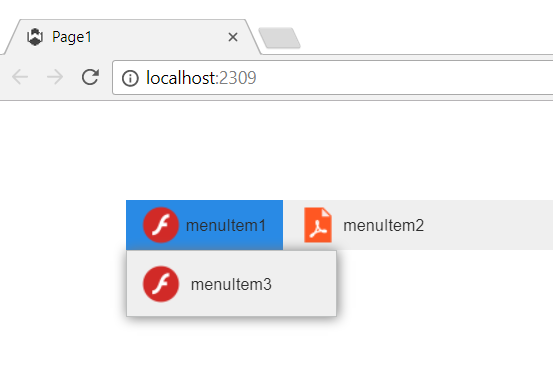
The size and other settings for the image in menu items is set in the themes. The key is menu/item/icon for the items in the drop down menu and menubar/item/icon for the items in the menu bar. I just noticed that the items in the menubar and menu don’t have the “scale”:true property – probably because we mostly use svg images.
You can set the size of the menubar, and menu items and icon, etc. in a theme mixin that changes only specific settings in the loaded theme, allowing the app to personalize a theme and still be able to use any theme. I have attached a mixin that fixes the missing scale property (now any image will scale to fit the size of the icon widget) and it sets the size to 32×32 and the menubar height to 40.
Place the mixin.theme file in /Themes. You can either deploy it or set it to “EmbeddedResource”.
Added screenshot. You can also change the size and padding (or any other theme property or style).
HTH
THX for your codeproject link
There I found the issue. – I am not allowed to use “~/Videos/HOYA.mp4”
Like in your link, using: “Videos/HOYA.mp4” did it. – Now it works and runs as expected!
THX a lot – Have a nice day
The MenuBar supports Top and Bottom docking since its layout is horizontal. We can add a feature request to support vertical layout – the issue is where to show the automatic overflow button when the menu doesn’t fit in a vertical layout. If you are looking for a navigation panel, it’s easier to use a panel with buttons or images or custom controls. See http://demo.wisej.com/pannellum. It can also collapse and auto show.