

 Private Sub Window1_Load(sender As Object, e As EventArgs) Handles MyBase.Load

DataGridView1.VirtualMode = True

DataGridView1.RowCount = 10

'aggiungo la colonna col checkbox per la selezione

Dim col As New DataGridViewCheckBoxColumn With {

.Name = "ck",

.Width = "30",

.ReadOnly = False,

.Resizable = False,

.FillWeight = 10

}

Dim ck As New CheckBox

ck.Dock = DockStyle.Fill

DataGridView1.Columns.Insert(0, col)

End Sub
Thank you Luca – I appreciate your time spent on this. We will see if we can make the htmlpanel approach you have above work for our needs.
Thanks very much.
Tried this and there it no way to get to something that works consistently. The only solution that seem to work doesn’t let you set the size of the iframe breaking web sites that are instead designed to resize. And it ends up showing two scrollbars when on a desktop. I tested this simply with html, so it has nothing to do with Wisej.
The only solution that works is to use an HtmlPanel and create the html that works for the site and size you want to show. The HtmlPanel or any other solution cannot even measure the content of the iframe because the browser blocks any access. See this test:
http://demo.wisej.com/iframetest
It resizes the content horizontally on a desktop. And it scrolls on an iPhone. I used this HTML in an HtmlPanel with ScrollBars set to None:
   <div
        style="width:600px;height:500px;overflow:auto;-webkit-overflow-scrolling: touch">
        <iframe src="http://jquery.com" frameborder="0" scrolling="yes"
            style="width:100%;height:calc(100% - 4px);overflow:auto !important;">
        </iframe>
    </div>
You have to “burn” the size in the html. Notice also calc(100% – 4px) because somehow chrome shows the vertical scrollbars on the container within 4 pixels. There is really nothing else and everyone seem to have the same problem.
Cannot reproduce without a test case.
Thank you Frank I try and tell you the results.
Best regards.
Just found out that if you add validateClient: false in Default.json then you can use any child URL (with wisej.wx) and reuse the same session of the parent. You will receive the ApplicationRefresh event because browsers reload the page when the URL changes. You can read the new URL using HttpContext.Current.
This is a side effect feature. I will log an enhancement issue to separate it from validateClient which is supposed to be only about the client fingerprint and to prevent session spoofing.
Hi Nikolajs,
this is currently not possible. You can however exclude a window from showing in the taskbar with setting ShowInTaskbar = false.
I have logged enhancement request WJ-8860 for it.
Best regards
Frank
Hi,
with the update 1.4.79.0 is fixed 🙂
bye
Cristian
hahaha with the new release (1.4.79.0) you have add fade and zoom, cool! 😀
bye
Cristian
I saw in the changelog that this was addressed in WJ-8849 and this seems working for us.
Thank you very much.
Is there any access to Gemini or is internal only?
Hi Ulisses,
a new release (1.4.79) has just been uploaded.
Best regards
Frank
Hi Andrew,
WJ-8784 is fixed in the latest Wisej release (1.4.79).
Best regards
Frank
Hi Cristian,
WJ-8798 is fixed in the latest Wisej release (1.4.79).
Best regards
Frank
Hi Dino,
the fix for WJ-8835 is included in the latest Wisej release (1.4.79).
Best regards
Frank
Hi Carina,
the fix for WJ-8839 is included in the latest Wisej release (1.4.79).
Best regards
Frank
Hi Marian,
it´s now also included in the latest Wisej release (1.4.79).
Best regards
Frank
Hi Robert,
Wisej release 1.4.79 containing the fix has just been uploaded.
Best regards
Frank
Hi Andrew,
logged as WJ-8848 and added to the latest Wisej release (1.4.79).
Best regards
Frank
Hi Bernhard,
WJ-8854 is fixed in our latest Wisej release (1.4.79).
Best regards
Frank
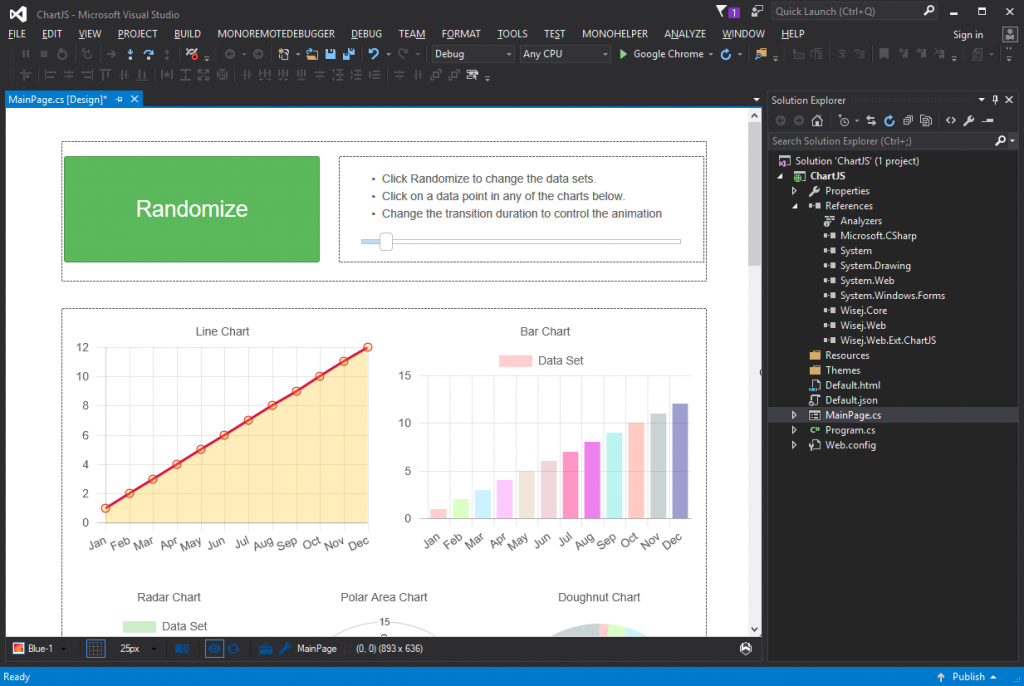
I just downloaded ChartJs sample from https://wisej.com/examples. Unzipped the project. Opened the sln in Visual Studio 2015. Recompiled. Double clicked on MainPage.cs (it’s a web application, which is a class library) to open it in the designer, this is what I get:
The I simply clicked Run (Google Chrome button at the top), and I get this:
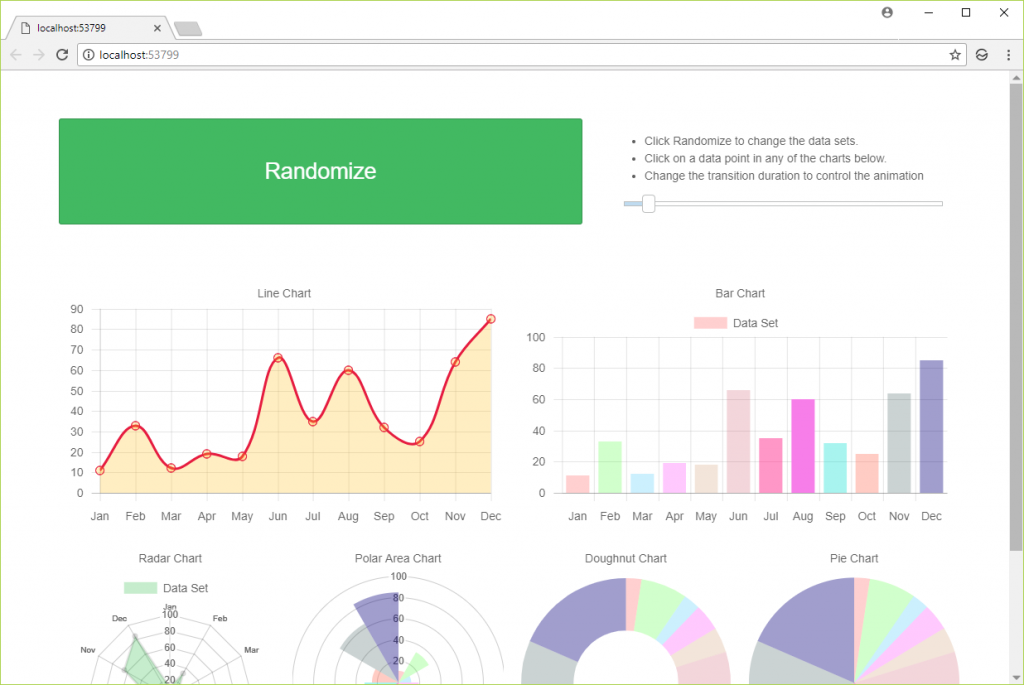
I didn’t change anything in the project. All the samples are in C# but they work just the same in VB.NET.