

Attached screenshots as an answer to my post as I was preventing from doing so when creating the new post
Hi John,
#1705 is now also included in Wisej development build 1.5.44
Best regards
Frank
Hi Ewan,
Our new development build 1.5.44 includes the following fix & enhancement:
Best regards
Frank
Hi Simone,
#1747 is fixed in dev build 1.5.44.
Best regards
Frank
Hi Simone,
#1773 is fixed in our latest development build (1.5.44).
Best regards
Frank
Is this possible now there is a custom user cell that can be added to a DGV so you can create an MS Access style scrolling grid.
Ie a set of scrolling panels each containing a set of controls with each panel representing one row in the dgv
Thanks for you help
Ewan
Hi Frank,
Thanks a lot!
Have a nice day.
Hi Simone,
BackColor not working in NavigationBar is fixed in the extension, updated in GitHub.
The crash you have noticed is logged as #1773 and fixed now.
The fix will be included in the next Wisej build.
Thanks,
Frank
I have managed to implement a Bindable Multi Column Combo Box using a DataGridView as the drop down, as there were various features that I needed that go beyond a standard MCCB.
Along the way I have discovered a couple of issues which are being looked at by Wise J that are not show stoppers.
My main reason for commenting though is how much simpler and robust the implementation is than when achieving the same thing using VWG!
The Date Picker control which can be bound on Nullable Value has avoided the need to create my own control which I had to do on VWG.
So I am very impressed so far and am looking forward to using Wise J in anger!
Update: I found it. It depends on
/* Fix Chrome rendering failure with transition animations. */
div {
-webkit-transform: translateZ(0);
}
in wisej.css
if i switch this style off in console from div, map is rendered correctly, but i failed override it in code.
Hi,
thank you for fast answer. problem is with map controls, they are hidden somewhere. its on local machine, my result is same as yours. Config is ok, no errors at console.
map controls are rendered in dom, problem is probably somewhere in conflicting css
leaflet.ok.png is similar sample but in plain html https://leafletjs.com/examples/quick-start/example-basic.html
leaflet.in.designer.png shows control as rendered in form designer
thank you
pavel
Hi Guys,
Still struggling with Crystal Reports.
I am using VS2017 and Crystal Reports 13.0.24 (latest version)
I have no problem with creating reports and applying data to them etc. The issue is with the Crystal Reports Viewer – whatever I try I am unable to attach (or indeed reference) the crviewer. I know everything is installed correctly as I can open a new VS project and as I would expect the crviewer is available in the toolbox.
Unless I can attach the Crystal Reports viewer to a form then there is no way to display the report
Any help would be appreciated
Hi Pavel,
your sample works fine running on localhost:
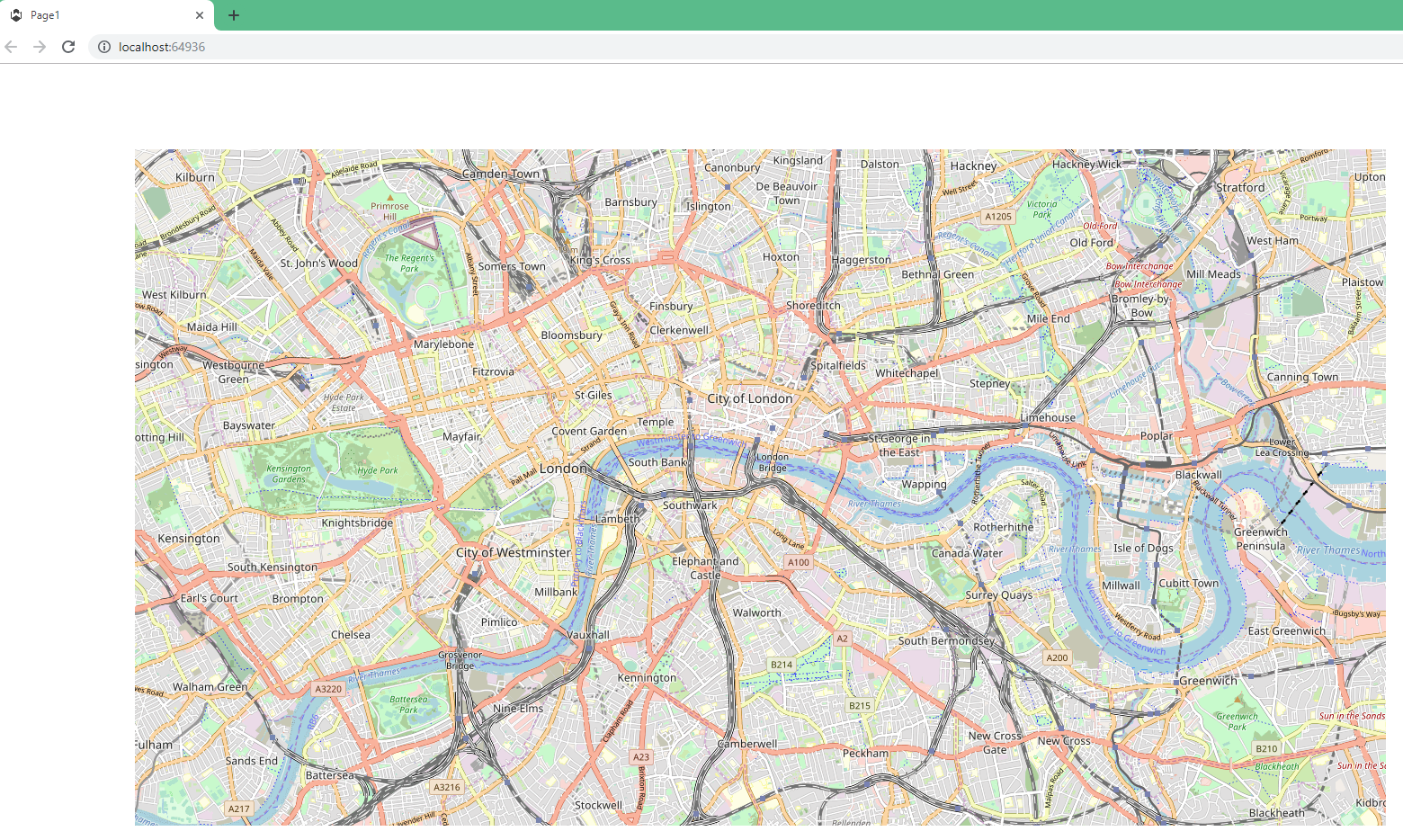
Are you deploying on a remote server ?
Do you get any error messages in the console ?
Can you please check if you have a mix of 1.5 and 2.0 Wisej assemblies in your configuration files ?
Best regards
Frank
Hi Andrew,
basically there is no way way of knowing or relying on the index on the client.
If you create multiple instances of the same form class and then need to reference
it on the client in JavaScript you can either
a) give each instance a different name (the Name property) or
b) use “this” to refer to your instance when calling a script on the server
To check if a reference is an array in JavaScript either use Array,isArray() or test the length property !== undefined.
Hope that helps.
Best regards
Frank
I also noted that BackColor with navigationBarItem not working, and a strange behaviour when i’m closing an item.
I attached some images.
Thank you Jens – you steered me in the right direction. Here is the line of code that ended up working for me in case anyone else needs it:
htmlChat.Eval(“this.scrollByY(1000)”);
When your code “awaits” a response from another web server (or another web service, or another thread) it cannot automatically update your client because there is no pending request from the browser and it’s impossible to update the browser without a request from the browser. Unless you push the update using a websocket connection. In Wisej it’s built in so you can call Application.Update() after the await. Unless the await is waiting for a Wisej response (an async dialog or messagebox or javascript call), in which case the update is automatic.
The way async/await works in .NET compilers is to extract the code after the await and compile it into a callback method. The await statement receives a Task instance from the async method, then returns and completes the execution before the await. When the task is completed it calls the callback from the thread that completed the execute in the await. It’s identical to calling a function passing in a callback method.
In alternative you can wait on the task returned by the async method. All async methods return a task:
await Test(); // asyncronous in Wisej

Test().Wait(); // waits for the task to complete, like in ASP.NET
Async programming on a desktop app is easy since you don’t need a request to update the desktop.
Async programming in an ASP.NET app is emulated and in reality it blocks the request. If you try an async event with ASP.NET/MVC or WebAPI you will see that the browser waits for the request to complete synchronously and the ASP.NET session is locked. In fact the calling thread waits on the task.
In Wisej is truly asynchronous. The event is fired and executed on the server asynchronously.
Hi Edmond,
an easy way to see if WebSockets are used is DevTools from Chroms.
See attached image.
Best,
Jens
Yes – server is running websockets. My client machine is Windows 8. Any way to test to see if it’s really being used ?
Hi Shawn,
when you debug your code, can you please check the value of QueryString ?
Also did you try as ?PaintJobs without the slash before ?
Best regards
Frank
Hi Andrew,
I have tried calling the WebMethod (non static) in a simple sample and it works just fine.
For showing/hiding the GroupBox you could simple use the show() / hide () functions.
Do you get any errors in the Console ? Any chance to share a sample for both scenarios to see what could be different in your code ?
Thanks in advance.
Best regards
Frank