

Same way. button1_Click() { Application.Call(“print”); }
Assuming you have a javscript function print() and the ASP.NET Crystal Report viewer.
We usually use the PdfViewer instead since the pdf.js viewer is a lot better that the old ASP.NET viewer and the report rendering is a lot more accurate than HTML. You can view a crystal report with 2 lines of code.
You can run it offline on a windows machine using the self hosting or standalone options. Cannot run it offline on non windows machine.
Hi Robert
With your last comment I could reproduce the issue 🙂
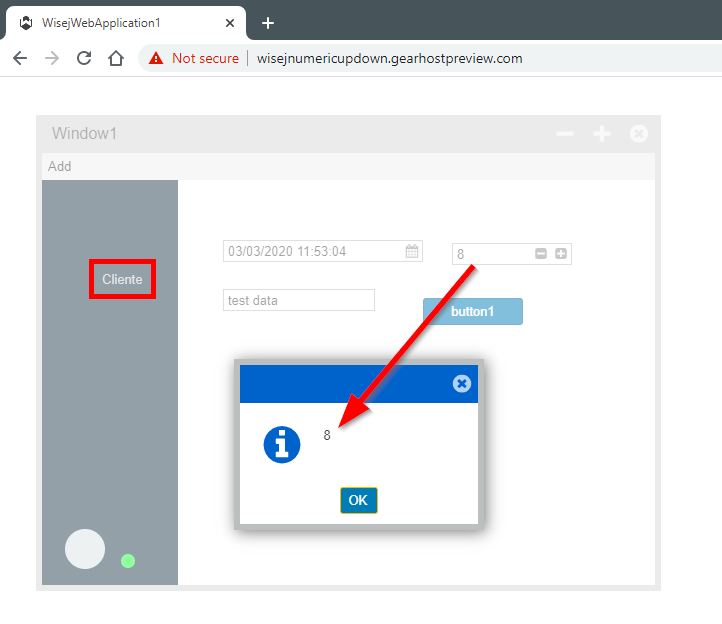
Effectibly when edit manually the values in the NumericUpDown and DateTimePicker, and without leave the control, click directly on button, the code under the buttons that reference this controls, dont takes the input value.
I’ll raise this issue to the development team and comment to you when the fix be available.
Regards and happy coding.
I have an Update about this bug,
if you Select a different row rather than the first one the index goes to that Selected Row.
Hi Roberto
I tested your sample proyect to into a free cloud hosting that has support .net apps.
The functionality its ok
This is the link
http://wisejnumericupdown.gearhostpreview.com
The cloud service comany is http://www.gearhost.com
You can crete a free account and create cloudsite app and use a visual studio publishing file for test your sample proyect outside the development environment.
Its very simple publish your app.
More details for publish your proyect into this cloud service, unfortunately its is outside the scope of wisej support.
Regards.
Hi Luca,
I attach a video of my pc. I email to you for remote session
ciao
Cristian
Hi Christian, we use the DGV in extremely complex configuration with hundreds of columns, nested rows, etc.
I changed your test and added 100 more columns:
https://www.screencast.com/t/dghZDCbFdpt6
Can you please verify if you have a js error in Chrome (F12), or contact me directly so I can setup a remote session in case you still have the issue.
ok find it. It was my problem, how I created the form passing through a form collection of object.
I don’t know why with standard control works but I fix it 🙂
thank you
Hi Cristian
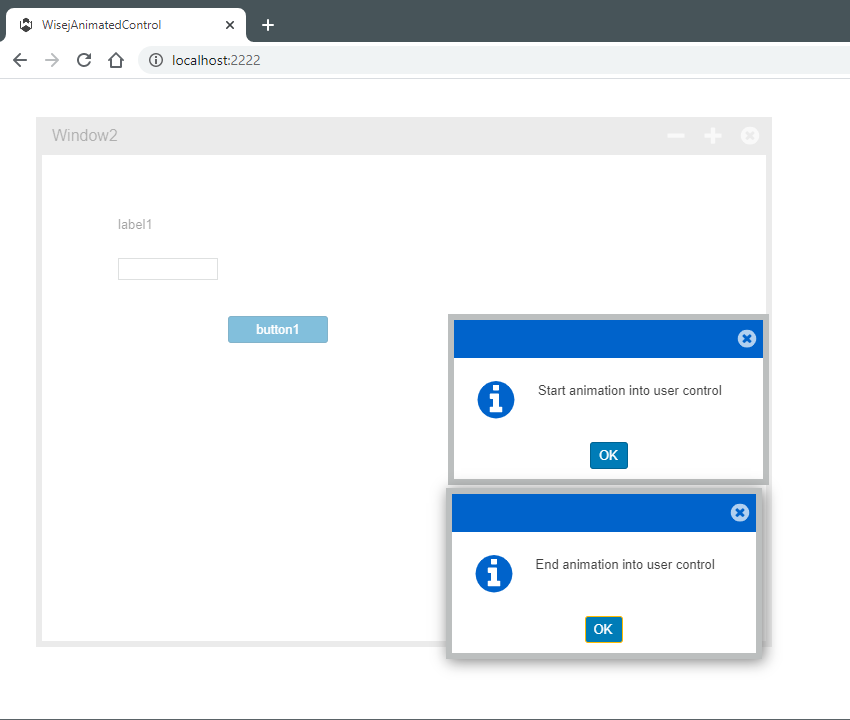
I attached and example where the animation control works fine.
There are an animation in the user control when you mouse over it and into the gui controls that it containts.
The events of animation into the controls user control works well.
The events of animation for the control also work well, only commented for not be overlayed.
If these sample not work into your enviroment, please tell us the versions of visual studio, wisej and browser are using and send a sample of the case.
Regards
I have create a new project with a Usercontrol, it’s works… I must reproduce why don’t work in my mainproject
Greetings,
i attached , two images with what happens to me and another with the version of wisej that I am using.
Greetings,
i attached , two images with what happens to me and another with the version of wisej that I am using.
Hi Jose
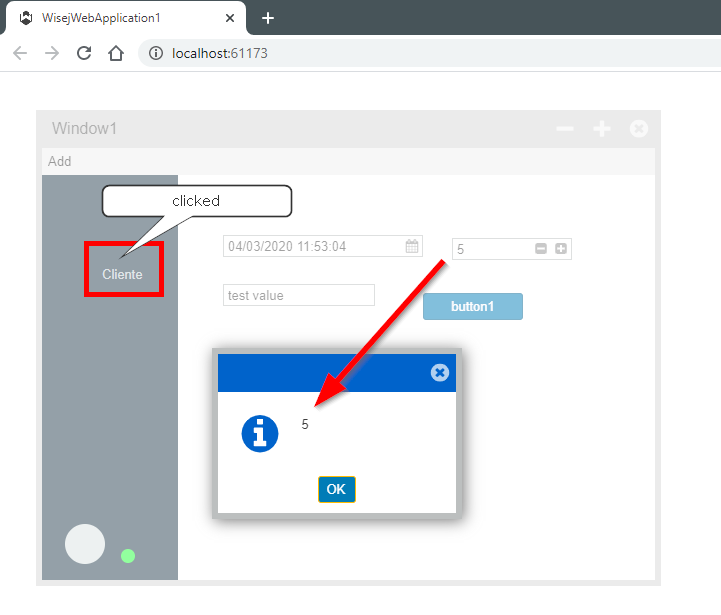
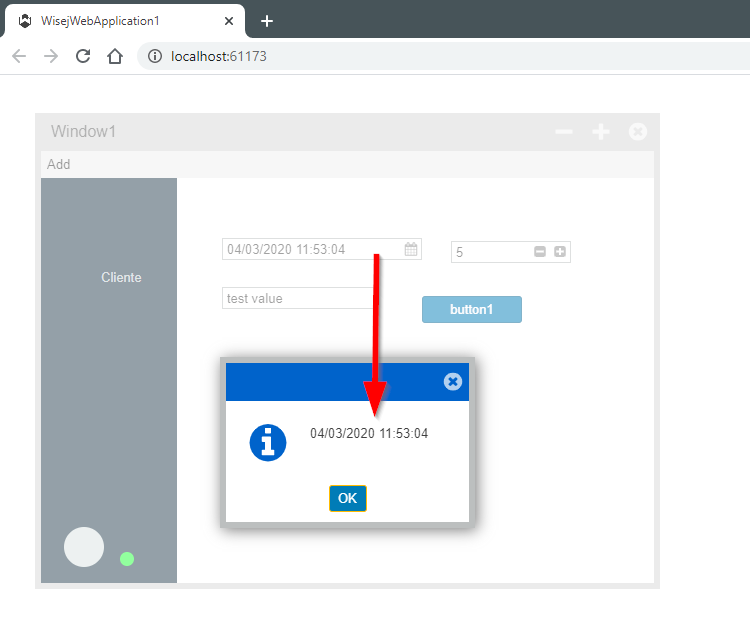
I tested the sample that you send and works well.
I test the conditions that you comment, click into NavigationBar and Toolbar.
I use the lastest version of chrome and FF to test it.
¿are you using the last version of wisej?
The test result
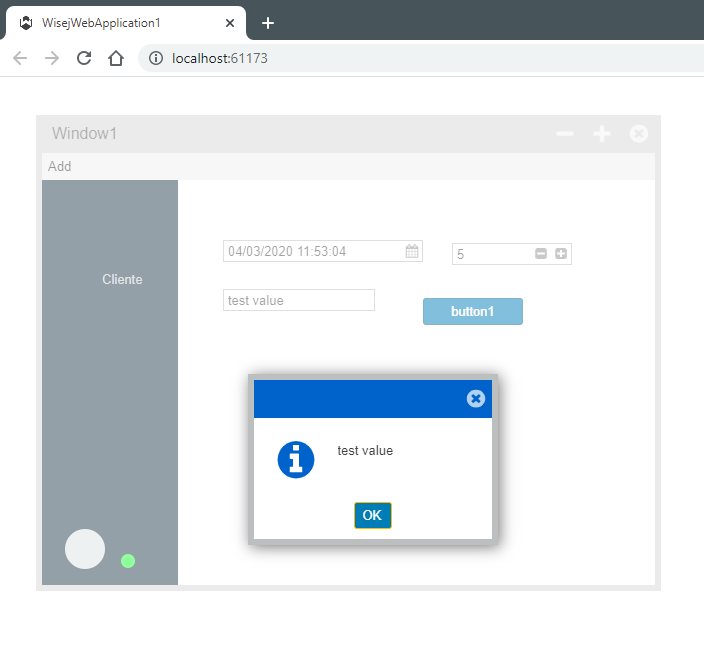
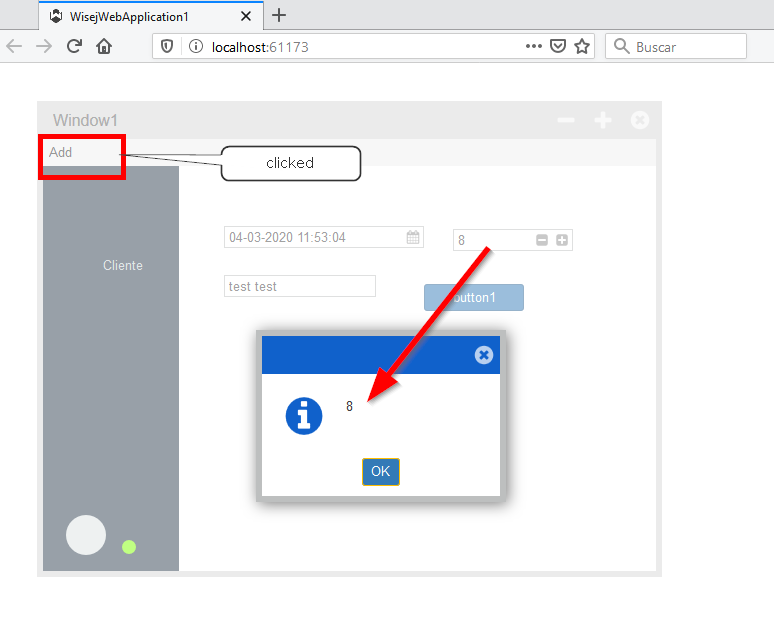
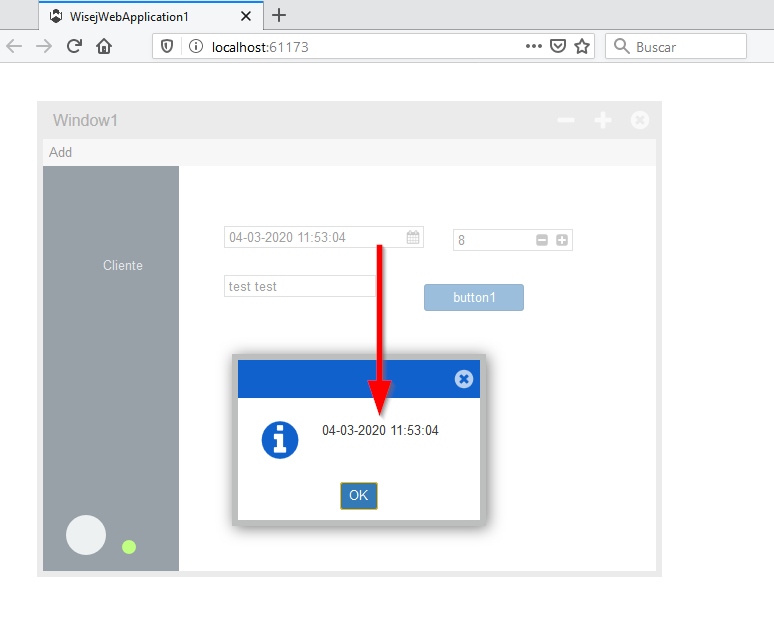
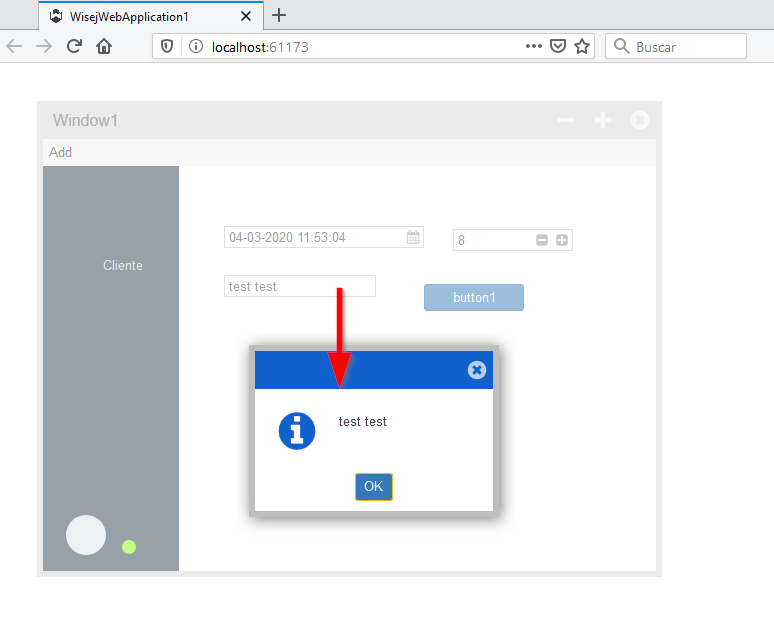
Regards
Hi Paul,
yes! only with user control. I have try normal control and it works. The problem is only with usercontrol
any work around?
Hi Cristian
Could you indicate us the wisej control that you are animating and the name and event of the animation ?
Regards
Hi Paul,
Thanks, very helpful!
Hi Jorge
From your question I understood that you have a value that is not boolean, but you want to checkbox will show it checked and unchecked.
Independent from the database, it’s the datatable or object structure that you populate from database the important stuff.
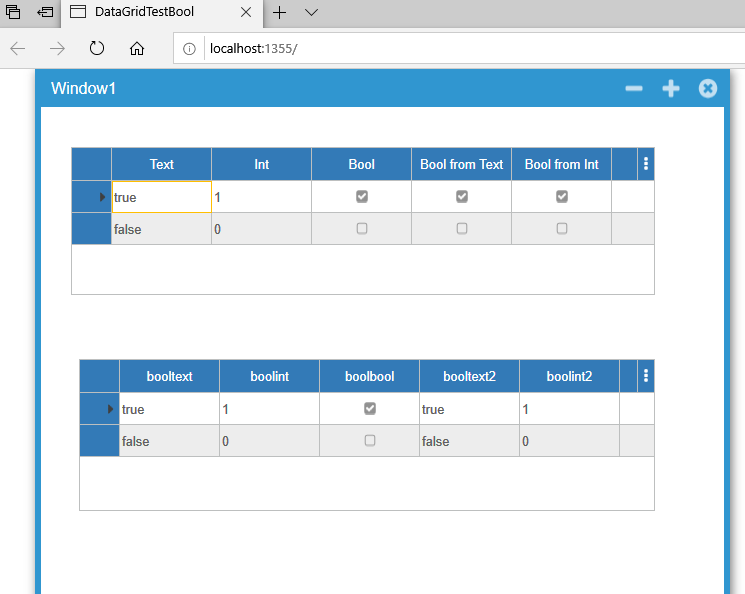
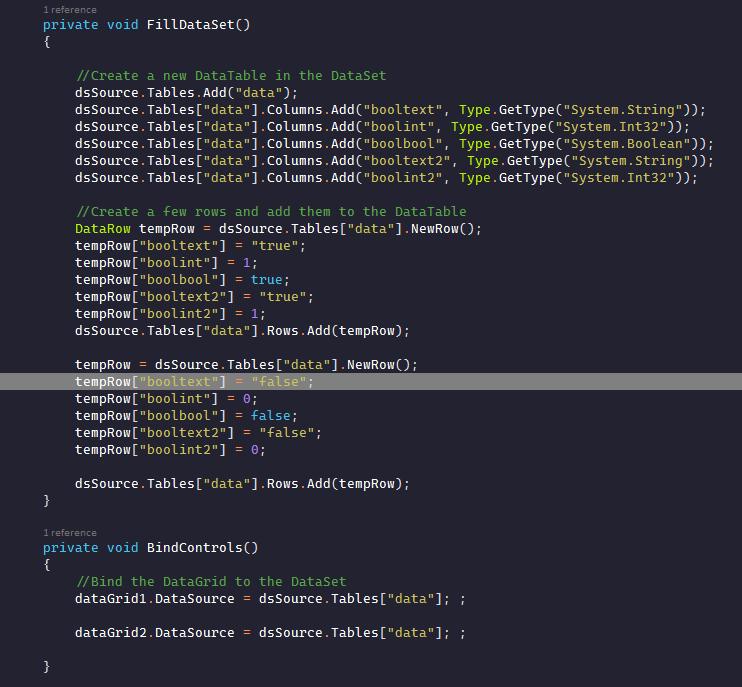
In the sample proyect, I populate a datatable with diferente logical values in diferent datatpyes and used it how datasource for a datagrid with checkbox.
The checkbox take the int and string values how logical and show how checked and unchecked
Datagrid above with custom columns and ckeckbox columns linked with
Datagrid below without columns,
Code for populate DataTabe
I hope helped you
Regards
Paul
Hi Sean,
Sorry for the delayed response, it’s been quite busy over here! We have fixed the issue. It required the FileName for the stream as well.
You can get the working version from GitHub and the fix will be available in the next development build:
https://github.com/iceteagroup/wisej-extensions
There is also a working demo here (select an option first):
http://demo.wisej.com/officeviewer/
Please let me know if you’re still having issues after updating the extension!
Best regards,
Levie
There was an error in the namespace in ChartJS that was fixed last week in the github repo:
https://github.com/iceteagroup/wisej-extensions/blob/2.1/Wisej.Web.Ext.ChartJs/ChartJS.cs
Previous versions of Wisej probably ignored the wrong namespace, creating a potential vulnerability.
Hi Luca,
we already worked around with a short method which creates new nodes before removing the old branch.
Thanks,
Jan.